What if I login to Planning and don't see much? Just the Resources page mainly
Joshua with EasyWorship
started a topic
25 days ago
We've received this question several times-- "I've logged in and don't see anything except the Resources page. How do I access Planning?"
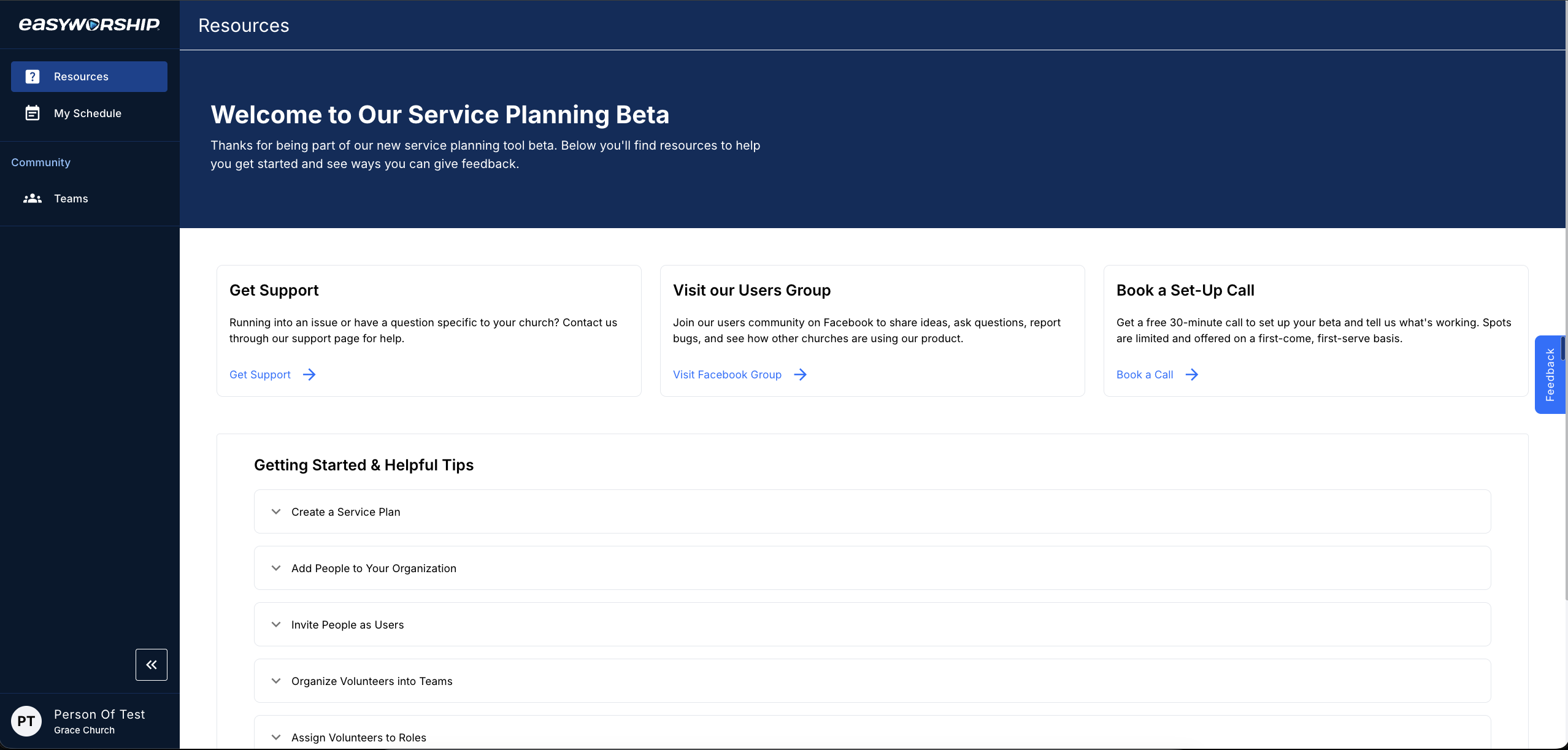
The screen being referenced looks like this, where the side menu looks mostly empty:
Because our Planning BETA is a brand new platform that is separate from the Presentation software, it has its own set of permissions for users. Admins on your organization's account automatically have permissions, but other users on your account do not have access to Planning by default. This is to protect your organization's data.
If you are trying to access the Planning BETA and are encountering this situation, contact the admin on your account and ask them to give you permissions to use the platform.
If you thought you were the admin on your organization's account, please make sure you logged in with the correct user. You might have another email set up as the admin.
If you are supposed to be the admin on your organization's account and cannot find a way to access Planning, please contact our support team for help.
The easiest way to tell if you are an admin is to login on easyworship.com and click the menu underneath your profile. If "Organization Settings" is showing as an option, you are an admin. The only scenario where you would have access to Organization Settings but not Planning by default is if you were solely a billing admin, who only have admin access to the billing settings for your account.
Once you've been granted permissions to use Planning, your side menu inside the platform will contain the proper options for navigation.
Joshua with EasyWorship
We've received this question several times-- "I've logged in and don't see anything except the Resources page. How do I access Planning?"
The screen being referenced looks like this, where the side menu looks mostly empty:
Because our Planning BETA is a brand new platform that is separate from the Presentation software, it has its own set of permissions for users. Admins on your organization's account automatically have permissions, but other users on your account do not have access to Planning by default. This is to protect your organization's data.
The easiest way to tell if you are an admin is to login on easyworship.com and click the menu underneath your profile. If "Organization Settings" is showing as an option, you are an admin. The only scenario where you would have access to Organization Settings but not Planning by default is if you were solely a billing admin, who only have admin access to the billing settings for your account.
Once you've been granted permissions to use Planning, your side menu inside the platform will contain the proper options for navigation.